Restaurant & Retail Cloud POS System
Grow your business with an ePOS system built for your needs
Whether it's waiting tables or shifting stock, our one-stop commerce platform lets you simplify, scale and ignite your potential.

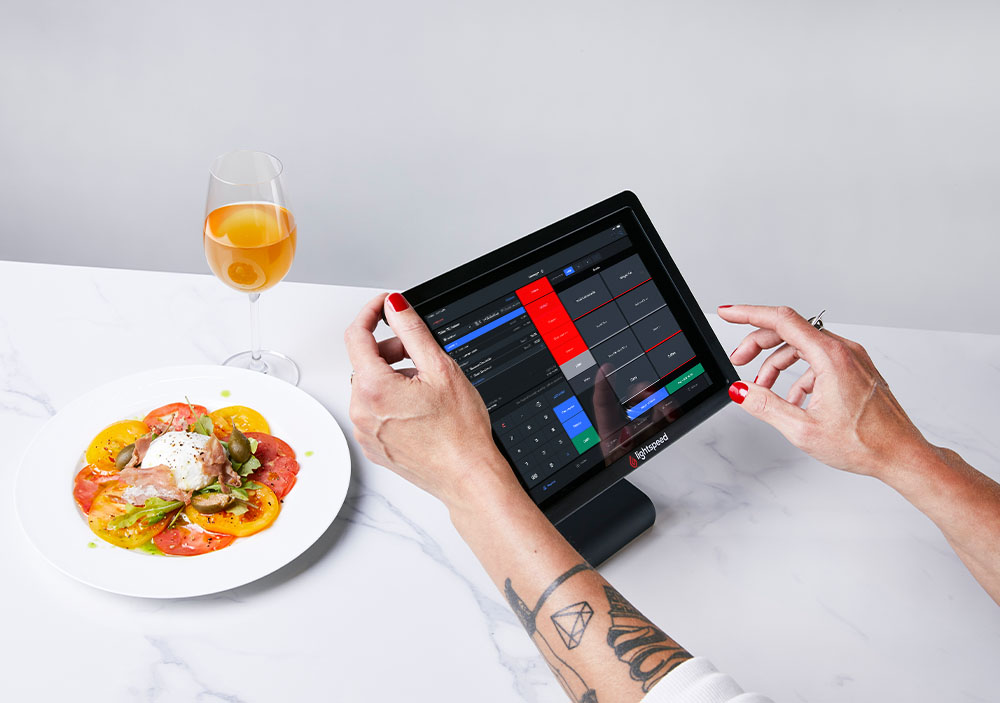
Adapt and expand with our restaurant point of sale.
Lightspeed Restaurant is an evolving POS system designed to grow with your business. Seamlessly contactless payments, implement food delivery, manage multiple locations, and much more—all from one user-friendly platform. Discover how to accelerate table turnover, increase revenue, and grow with powerful insights with our cloud-based point of sale.
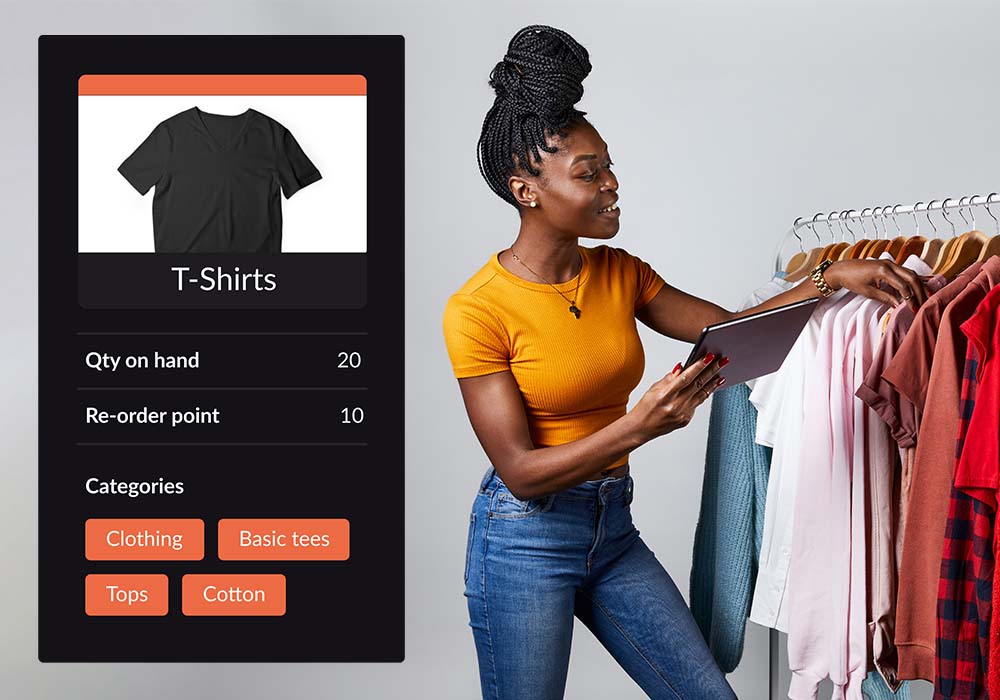
Choose the retail point of sale that empowers entrepreneurs.
Personalise and enhance customer service, receive payments, track inventory, and ring up sales from anywhere in-store with Lightspeed Retail—the advanced, mobile ePOS till system for retailers.
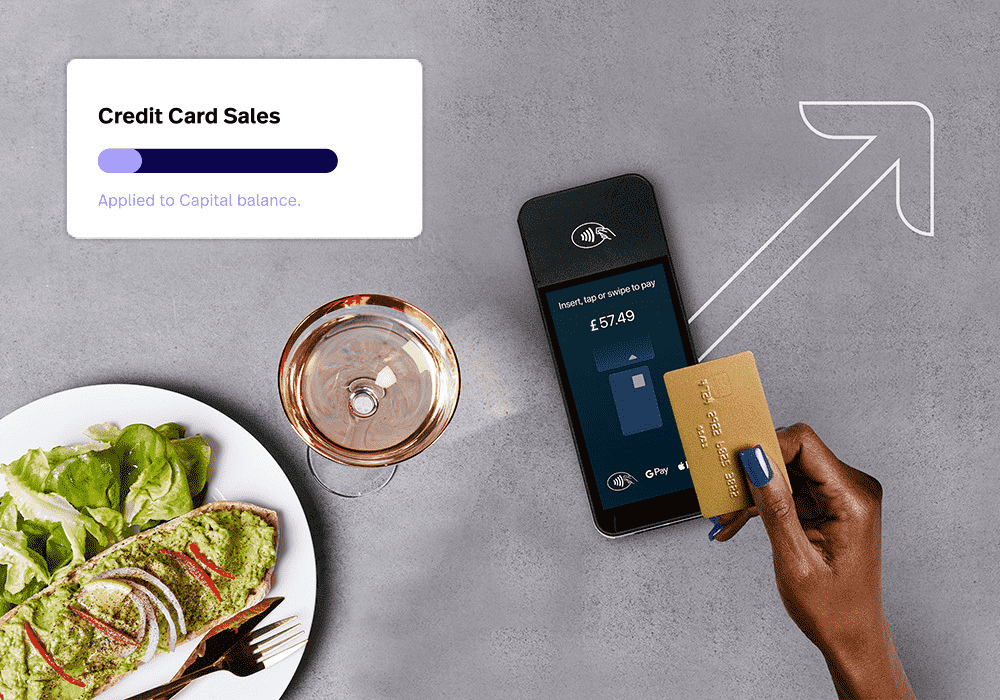
Flexible funding built for your business
Grow your business. Maintain cash flow. Finance new projects. All with Lightspeed Capital, our merchant cash advance program.
Learn more about Lightspeed Capital for Retail or Lightspeed Capital for Restaurant.
Explore our extensive range of Restaurant add-ons.
Online ordering and delivery
Offer click and collect, sell via Uber Eats, and have customers order online via QR codes, Order Anywhere.
Restaurant insights
Real-time business data of your restaurant lets you spot trends and make smart, fast decisions about the future.
Inventory management
Keep track of stock levels, plan orders, create fully-costed recipes, and manage your suppliers.
Kitchen display system
Keep orders flowing through your kitchen. Streamline communication from front to back of house and manage all guest orders in one single screen.
Explore our extensive range of Retail add-ons.
eCommerce
Sell anywhere, to anyone—across the internet and around the world. Control your store and webshop from a single platform.
Retail insights
Get greater insight across your business with in-depth sales, staff and inventory reports to help make informed decisions.
Inventory management
Effortlessly handle products, variants, and stock across all channels.
Accounting
Connect your ePOS with your accounting software and automatically sync bookkeeping data between the two systems.

Outstanding support—it sets us apart.
Get personalised, one-on-one onboarding, along with access to webinars, demos, and a library of videos. Our 24/7 support is always free, ensuring you have help whenever you need it. At Lightspeed Retail, we’re here to make your experience seamless from start to finish.


Frequently asked questions
What is an ePOS system?
An ePOS system—POS stands for point of sale—is a suite of software and hardware that gives businesses the ability to sell products and services, manage inventory, track sales performance, build customer relationships and much more. Most POS systems used by UK businesses today are actually ePOS systems, or electronic points of sale, as they operate online and securely store information in the cloud.
An ePOS system (electronic point of sale) is a digital solution that helps businesses manage day-to-day operations like processing sales, accepting card and contactless payments, tracking stock levels, and generating reports, all in one central platform.
The simplest way to understand a POS system is to think of it as a modern till that can do far more than just take payments. More than just a till, an ePOS system combines hardware and software to streamline tasks at the front and back-of-house. Whether you run a restaurant, café, pub, bar, or retail shop, the right ePOS system can improve service speed, reduce manual errors, and give you real-time insights into your business.
Let’s break it down into the two main components of a POS system: POS hardware and POS software.
POS hardware is a blanket term for the physical components of your POS system. The exact hardware you need will depend on whether you operate a retail shop or hospitality venue, but there are common elements across most UK businesses.
POS software is the application that runs on your tablet or computer. While features vary between providers, most modern cloud-based ePOS software includes the following core functions.
Cloud-based ePOS solutions give UK businesses the flexibility to manage operations from anywhere, integrate with accounting software, payment providers and ecommerce platforms, and customise their technology stack to suit their specific needs—whether operating a single site or multiple locations.
How do ePOS systems work?
An ePOS system works through your business' WiFi connection and stores data like stock levels, transactions, and sales reports on the cloud which can be shared between devices.
Here's an example of a standard transaction using an ePOS system:
1. A customer decides to purchase something — an item, food or a service.
2. Your ePOS is full of inventory and price data, and uses that to calculate the total.
3. Whether through card, cash or digital payments, the customer pays you.
4. The sale is finalised. Your inventory and sales data update so you have an accurate picture of your business.
Why does a business need a ePOS system?
An electronic point of sale will better allow you to process sales, take payments, manage your inventory, monitor employee performance, and so much more. So, why do you need one? Well, an easy-to-use ePOS will save you time, money, and a few headaches along the way. Imagine owning a system where everything you need to have is all in one place. Whenever you need it. Wherever you are.
So, whether you’re looking to scale and grow at speed, automate manual processes, improve efficiency, or deliver world-class customer experience, an ePOS system has everything you need to better manage your business.
What is the difference between a POS system and an ePOS system?
A ePOS system is a traditional, often stand-alone hardware setup for processing transactions, including components like a cash register and receipt printer. It typically operates offline and has limited features beyond sales processing. In contrast, an ePOS system is more advanced, often cloud-based, and can run on various devices like tablets and smartphones. It offers additional features such as inventory management, CRM, and real-time data access, providing more flexibility and remote accessibility compared to a standard POS system.
How much does an ePOS system cost?
The price of an ePOS system will depend on what type of ePOS you buy, what you will require from your ePOS, whether you want to pay annually or monthly, and more.
You can find more information about Lightspeed's pricing here:
Lightspeed Retail | Lightspeed Restaurant
What is the difference between an ePOS system and a payment processor?
A point of sale (POS) system is used to track and manage your stock and process sales through your till. A payment processor, on the other hand, handles the actual card transaction when a customer makes a purchase.
Payment processors securely transmit payment information between the relevant parties to complete a transaction. For example, details are sent between your business bank account and the customer’s bank, or between your acquiring bank and the customer’s card issuer.
Your POS system facilitates the sale itself. If a payment processor connects to your bank, your POS system powers your till and records the transaction. POS systems like Lightspeed integrate with payment providers to automatically sync information between your stock management system and card machine, helping reduce manual errors and save time.
In addition to processing sales, Lightspeed includes built-in tools for stock control, customer relationship management (CRM) and reporting and analytics. We also offer our own integrated payment solution, Lightspeed Payments, designed to work seamlessly with your ePOS system.
What hardware does an ePOS system need?
The hardware products you need can vary depending on your business type.
ePOS terminal: An ePOS terminal is the device that the ePOS software runs on. You can use either a desktop computer, laptop, tablet or smartphone. Basically, any device with internet connectivity.
Card reader: A card reader is what merchants use to accept credit and debit card payments, and allow for contactless payments at checkout.
Receipt printer: While the majority of consumers now opt for email receipts, it’s still important to offer printed receipts.
Cash drawer: You'll also need a cash drawer if you accept cash payments. If you only take card payments, then you won't need this.
What is an ePOS integration?
A POS integration connects your point of sale system with other business tools—such as accounting software, payment solutions, ecommerce platforms, or loyalty programmes—allowing them to share data and operate seamlessly together.
Rather than managing systems in isolation, partner integrations help unify your operations. Sales, inventory, and customer data stay synchronised across both in-store and online channels, reducing manual work and minimising the risk of errors.
ePOS integrations save time, boost accuracy, and provide real-time insights that support smarter decision-making. Whether you're connecting your ePOS to delivery platforms, marketing tools, or staff scheduling systems, integrations make it easier to manage your business from one centralised platform.
Do I need a licence to use Lightspeed?
Yes, you need a licence for each device you use Lightspeed ePOS on. Each additional device can be purchased at a reduced price from the first one. These can be purchased on a monthly or yearly basis.
For more information, see our pricing pages:
Retail | Restaurant
What are the advantages of a mobile ePOS?
Free up space—A mobile ePOS like Lightspeed can be accessed and used from anywhere on your business premises. That means you don’t need to put aside a lot of surface space like you would for a stationary point of sale.
Run your business from anywhere—With a mobile ePOS you don’t need to be at your business location to check things like inventory management, employee schedules or sales reports – you can do it from wherever you happen to be (all you need is an internet connection).
Ensure quality customer service—Use data to get a clear overview of customer purchases and orders. It’s all right there in the ePOS system, so you can offer personalized service and increase the likelihood of upsells and repeat business.
Make updates in flash—A cloud-based, mobile ePOS like Lightspeed lets you make business updates quickly and easily. Whether it’s adding your stock items or updating menus, you can do it right there in the system without help from support.
Does Lightspeed integrate with other software?
Yes. Lightspeed is an ePOS system that can integrate with other software sousers to personalise their technology stack to suit their unique needs.
We integrate with a range of partners, including OpenTable, Mailchimp, Planday, Zettle and Uberall (specific integrations differ by product).
Check out the full list of integrations for both our products:
Retail | Restaurant
What operating system does Lightspeed ePOS work on?
Lightspeed is designed to work with Apple’s iOS operating system and can be used on compatible Apple devices, including iPads. It is not currently compatible with Android devices.
Does an ePOS system need internet?
Generally, yes. A cloud-based ePOS system requires an internet connection at least some of the time. This is needed for functions such as processing card and contactless payments, updating stock levels in real time, and syncing sales data with reporting, accounting or ecommerce systems.
An internet-connected ePOS system is often a better choice than a server-based setup, as it typically offers more reliable transaction processing, automatic software updates and seamless integration with other cloud-based business tools. It also gives you secure access to real-time sales and performance data from anywhere, without the added cost and maintenance of managing on-site servers yourself.
What kind of support do you offer for your ePOS system?
Lightspeed provides comprehensive support to help you get the most from your ePOS system, from initial setup through to day-to-day trading.
Our UK support includes onboarding assistance, training resources and access to a knowledgeable team with experience in retail and hospitality. Whether you need help setting up your ePOS system, integrating card payments, managing stock control or resolving a technical issue, support is available when you need it.
You’ll also have access to a detailed online Help Centre featuring step-by-step guides, video tutorials and best-practice advice, so you can quickly find answers and keep your business running smoothly.
Support options vary depending on your plan, but our priority is always the same: ensuring your ePOS system runs reliably and supports the efficient operation of your business.
What else can Lightspeed do for you?
Talk to an expert and find out.

Talk to a restaurant ePOS expert